

Dear Member Essentials Admins,
Happy autumn! As you prepare for 2027–2028 dues collection, we're excited to share several new features and improvements to Dues Management.
New Features and Updates for Dues Management
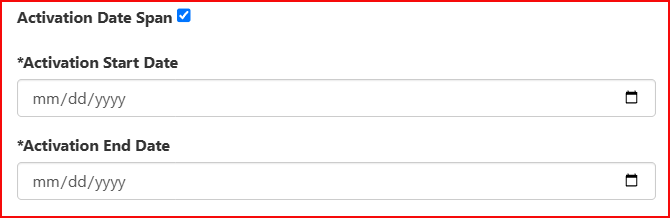
- Start and End Dates for Dues Definitions – You can now set start and end dates on a Dues Definition so it is available only during that window. This makes it easy to offer payment plans of different lengths at different points in your dues collection period. See Creating a Dues Definition
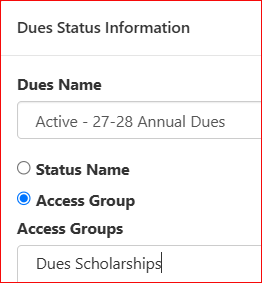
- Assign Dues Definitions by Access Group – Dues Definitions can now be assigned by Access Group as well as by status. Use this to set different dues amounts for specific groups of Members, such as those receiving discounts or scholarships. See Assigning Dues Definitions
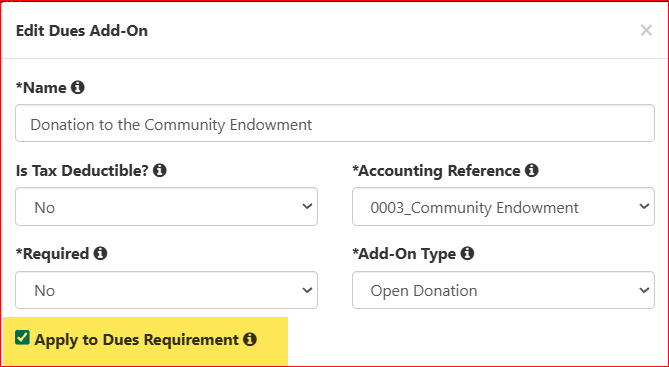
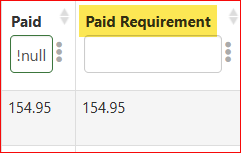
- "Apply to Dues Requirement" Option for Dues Add-ons – When configuring a dues add-on, you can now choose whether it counts toward the dues requirement. Only add-ons with this option selected are included in the amount paid toward the requirement. Paid Requirement is a new column on the Dues Collection screen, which will show each Member's total paid amount toward the dues requirement.
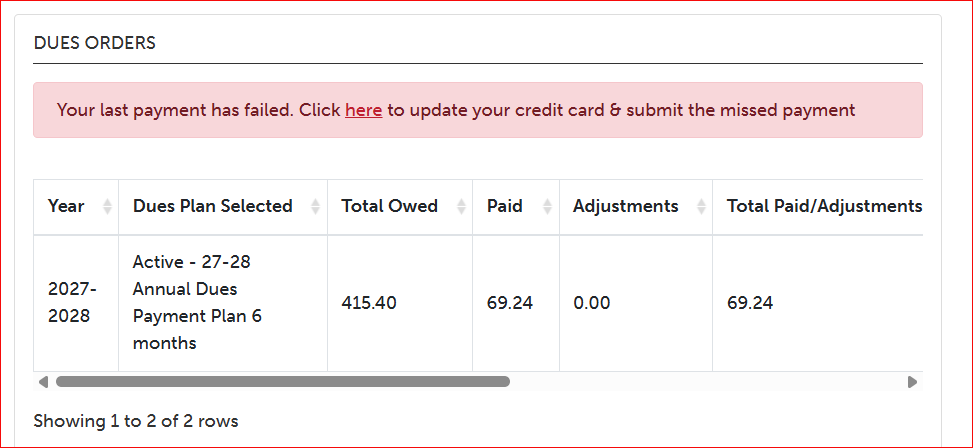
- Members Can Update Their Credit Card – If a credit card payment fails for a Member on a Payment Plan or Recurring Plan, they will now see a notice on her profile with an option to update her card. This is in addition to the email notification she already receives.
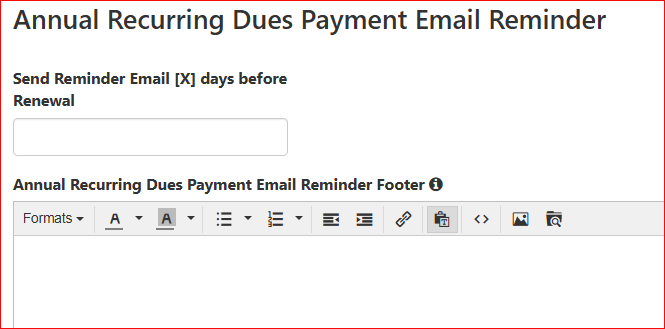
- Annual Recurring Payment Reminder – You can configure a reminder email to go out a set number of days before a Member's annual recurring payment is due. Find this setting under Dues Management > Dues Display. See Annual Recurring Dues Payment Email Reminders
- Remove Entries from the Failed Renewals Screen – Failed Payment Plans and Recurring Plans can now be canceled and removed from the Stripe Admin > Failed Renewals screen. See Failed Renewals
- Tax-Deductible Member Dues – Dues Definitions can now be marked as tax-deductible, with a fair market value specified. Members who pay these dues will receive a separate tax receipt in addition to their dues confirmation email. Both emails can be resent from Order Management.
- Other Dues Improvements and Fixes
- Administrators can enter dues payments through Order Management even when dues collection is turned off.
- Members enrolled in a recurring dues plan no longer see the Pay link on their homepage.
- Administrators can assign a dues payment, including a recurring payment, to a different League year in Dues Transactions. See Managing Dues Collection
- Additional text can be added to the dues landing page and the dues confirmation email in Dues Management > Dues Display. See Publishing the Link to Pay Dues
- Coming Soon -
- When a Dues Add-on is configured as a purchase option for a Member requirement, you'll be able to choose whether it is credited to the current year or to the dues collection year.
- The Pay Dues icon in the mobile app will support the Pay Dues Override URL to redirect to a form.
Resources for Setting Up Dues
- Dues Management Step by Step
- Member Essentials Office Hours > https://www.myajli.org/calendar/
- Training Session: Member Essentials Dues Management > https://www.myajli.org/calendar/me-dues-management/
As always, if you have questions about any of these features, please reach out to our support team or visit the knowledge base.
Best,
Member Essentials Support Team
JL MEMBER ESSENTIALS
email: MemberEssentials@ajli.org
knowledge base: https://support.jl.org