
Publishing the Link:
- Go to Admin > Member Management
- Find Dues Management
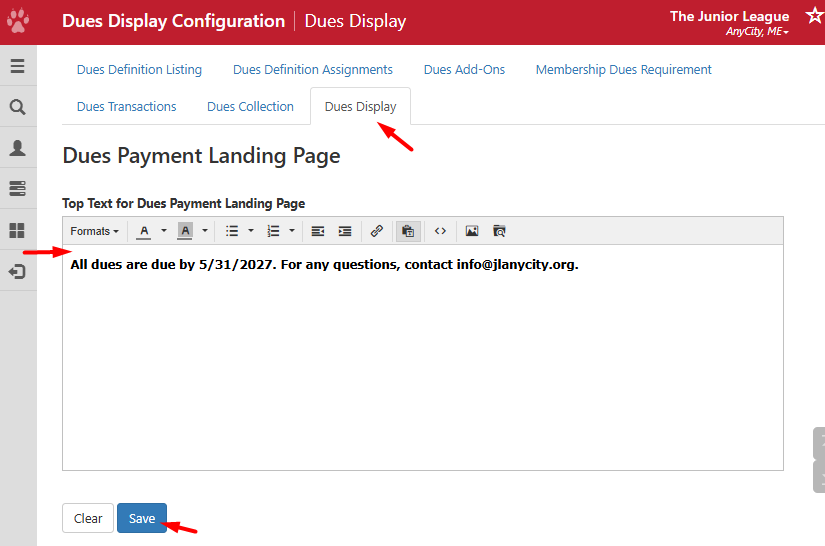
- If you want to include messaging on the landing page before they pay, you can set this up in Dues Display > Dues Payment Landing Page > Top Text for Dues Payment Landing Page.
- When you are ready to publish the link, go back to Dues Definition Listing.
- On the bottom, copy the link from View Stripe Dues Payment Landing Page.

- This link can be published under Quick Links, emails, newsletters, sent directly to the Member, etc.
Take note, to see what Members see, impersonate their account and use the link to see their dues landing page.