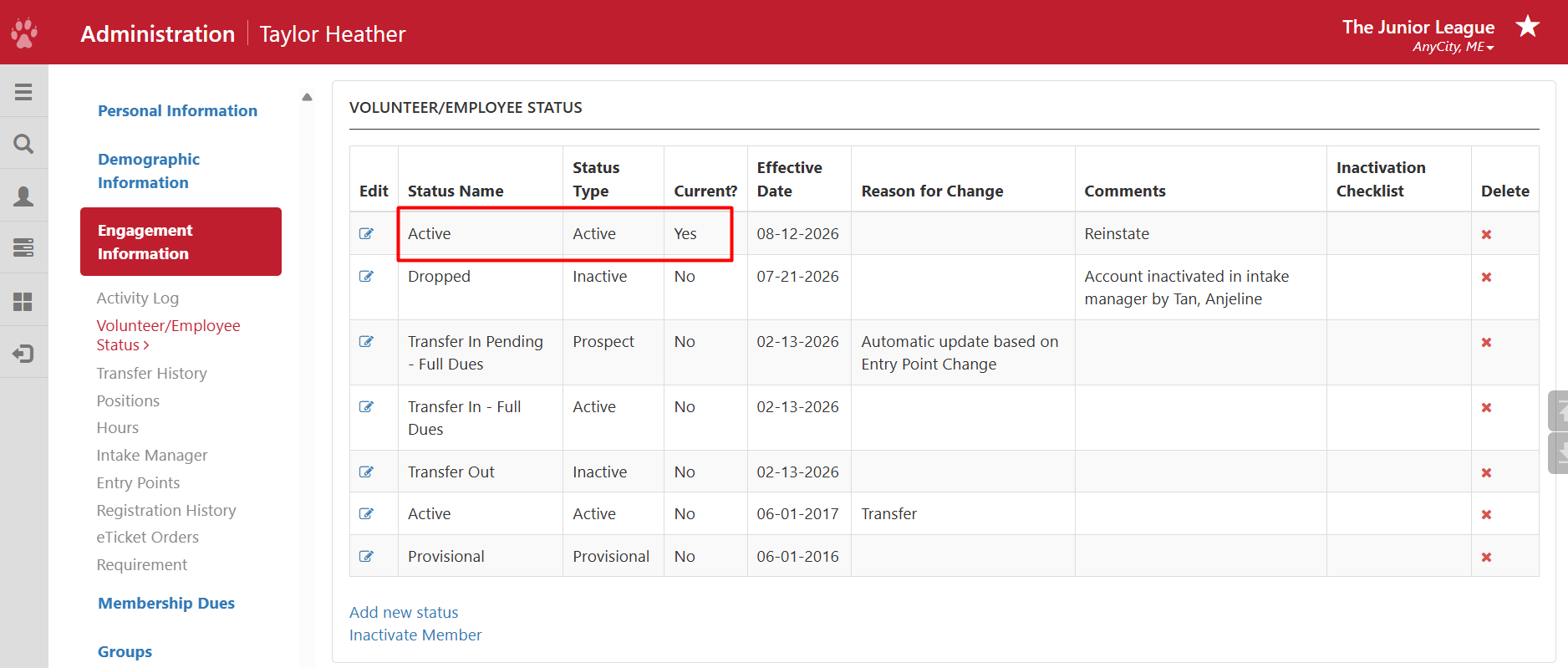
This article will show the process for locating an inactive member in the Admin Directory and reactivating their status with your League.
Required access:
You will need the Administrator or Security Administrator access level.
Where to go:
- From the Member Portal, go to Admin > Member Search or click the magnifying glass icon.
- Set Include Inactive Members to Yes
- Search for the member's name using the filters.
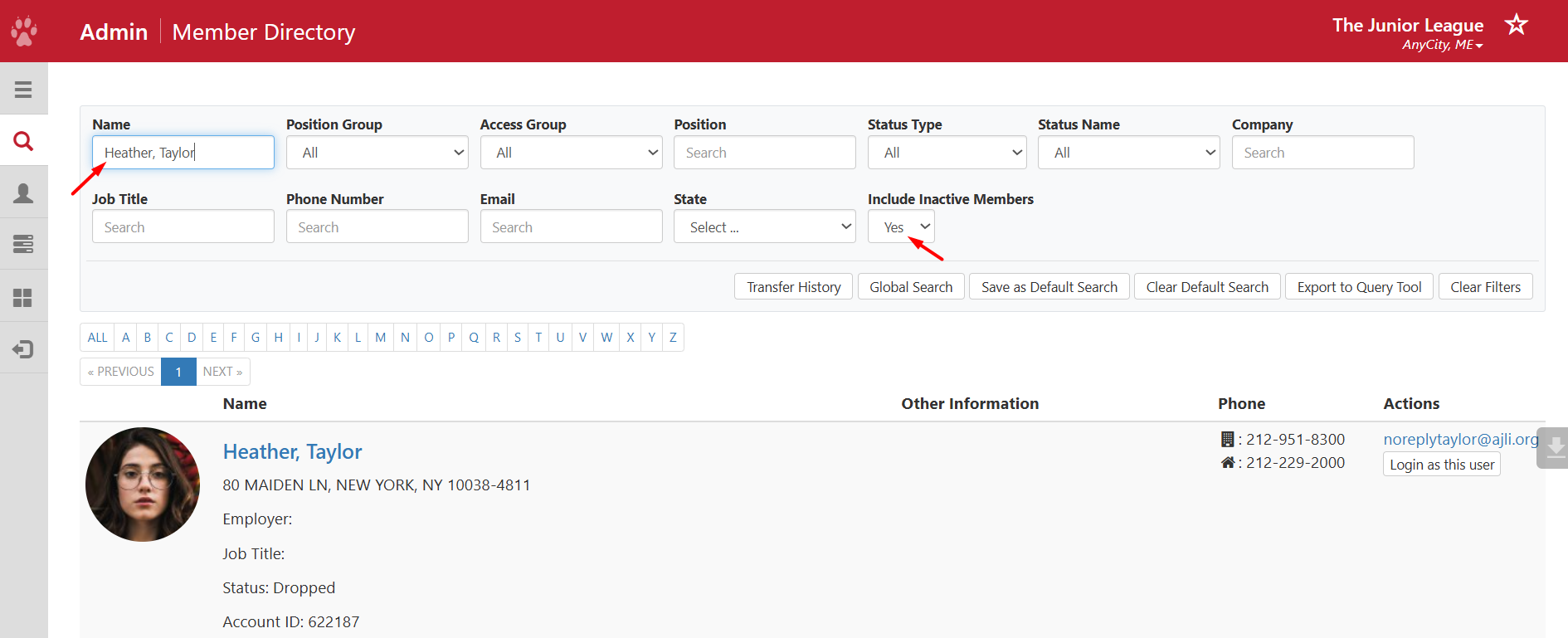
- Click on the Member's name to open her member record.
- On the left, you will find a navigation menu of shortcuts. Select Engagement Information.
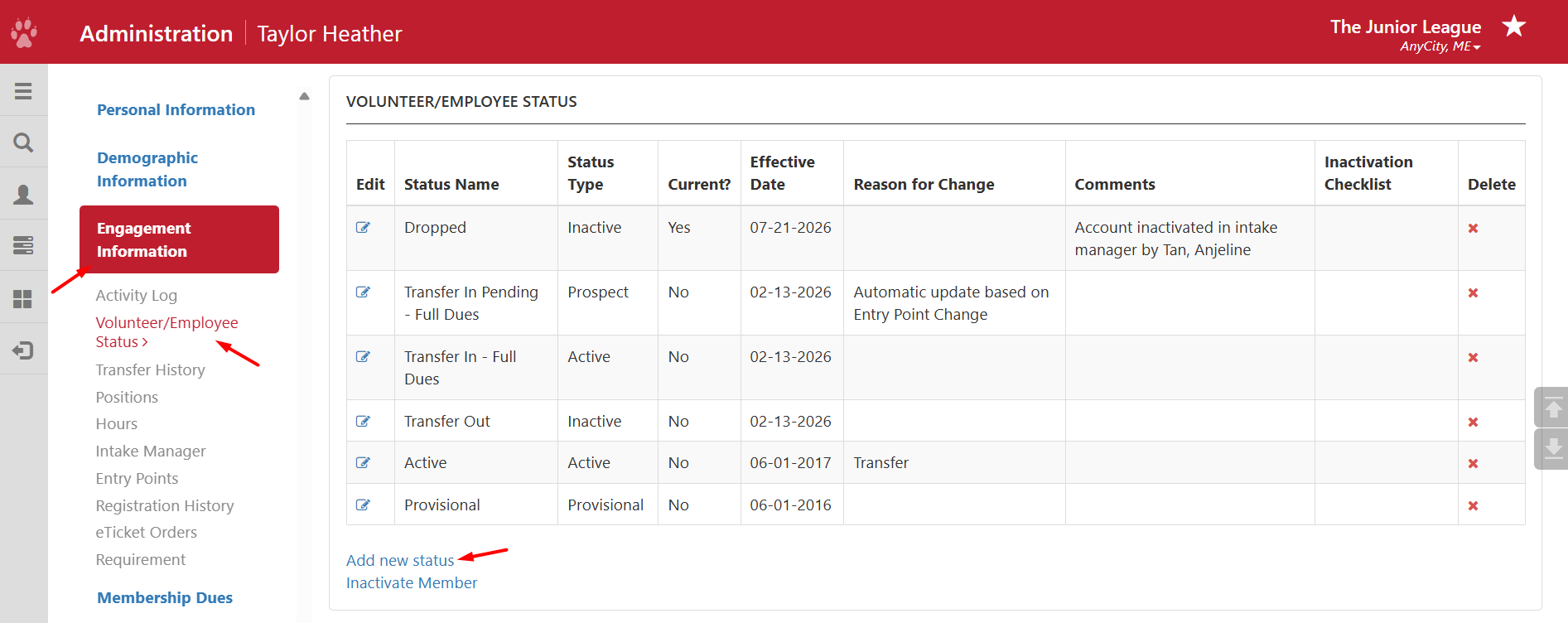
- Then, find Volunteer/Employee Status and select Add new status.
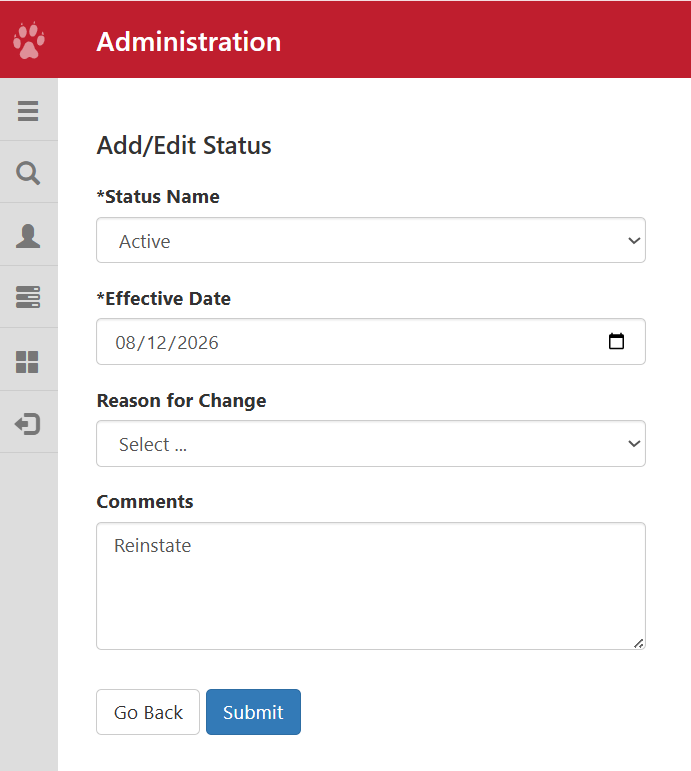
- Select a status name such as Active or Sustainer and set an effective date when the member should be active.
- Click Submit to continue.
- Check if Current? is set to Yes. The Member will now appear with the new status. (Take note, if you back date the effective date, this can result in a AJLI Annual Dues Charge on your Monthly AJLI Dues Statement)