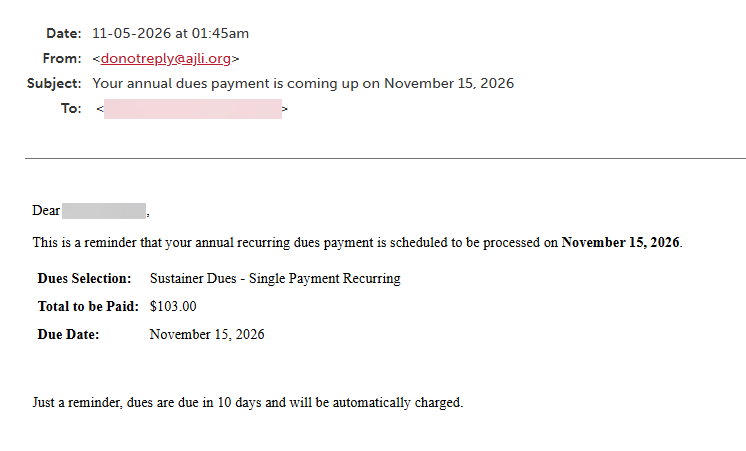
The Annual Recurring Dues Payment Email Reminder feature allows Leagues to automatically notify Members before their annual recurring dues payment is processed. Leagues can configure when the reminder is sent and customize the footer of the email.
Required Access:
You will need the Dues Administrator or Administrator access level.
Where to Go:
- Go to Admin > Member Management > Dues Management.
- Select the Dues Display tab
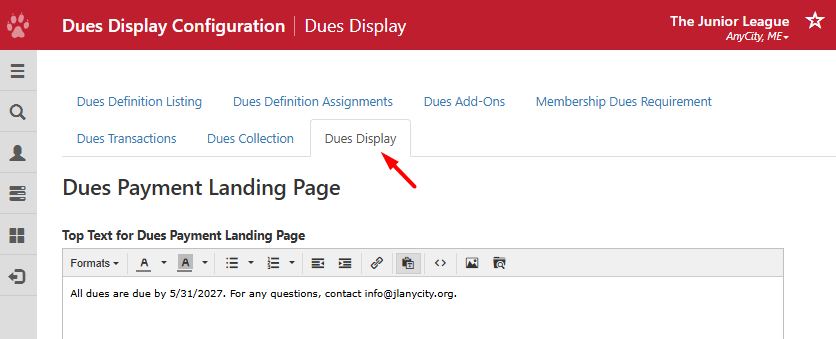
Steps to be Taken:
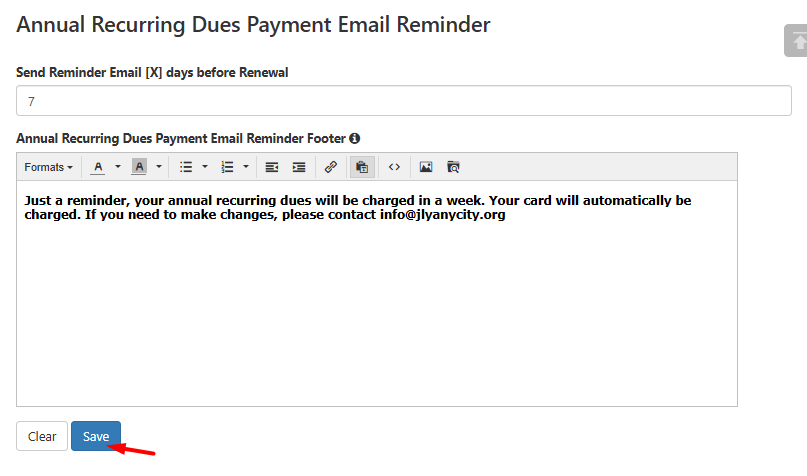
- Scroll down to the Annual Recurring Dues Payment Email Reminder section.
- In the Send Reminder Email [X] days before Renewal field, enter the number of days before the annual recurring dues renewal when this email should be sent. i.e. enter 7 to send a reminder a week before
- In the Annual Recurring Dues Payment Email Reminder Footer field, enter any additional information you would like included in the email. Use the text editor to format your message.
- Save your changes.
How the Reminder Works:
Once configured, Member Essentials will automatically send a reminder email to Members with annual recurring dues orders based on the number of days specified by the League.
If text has been entered in the Annual Recurring Dues Payment Email Reminder Footer field, it will appear at the bottom of the reminder email.
Take Note:
- This reminder applies only to members with yearly annual recurring dues orders.
- The reminder is sent automatically based on the number of days configured by the League.
- The email footer is optional. If no text is entered, the reminder will be sent without a customized footer.