
By default, pages on the Member Essentials Public Site may display a Promo Section alongside the main page content.
The Promo Section may include a Global Promo, which displays across the website, and a Local Promo, which can be added to an individual page.
When the Promo Section is displayed, the page layout includes space for the navigation, page content, and the Promo Section. This can make the main content area narrower.
If you would like more space for your page title and content, you can choose to hide the Promo Section on individual pages.
Hide the Promo Section on an Individual Page
You do not need to remove or disable your Global Promo across the entire website. Instead, you can hide the Promo Section only on the pages where you would like the content area to be wider.
Navigate to Pages in your WordPress dashboard.
Select the page you would like to update.
Locate the Hide Promo Section option.
Check the box next to Hide Promo Section.
Update or publish the page.
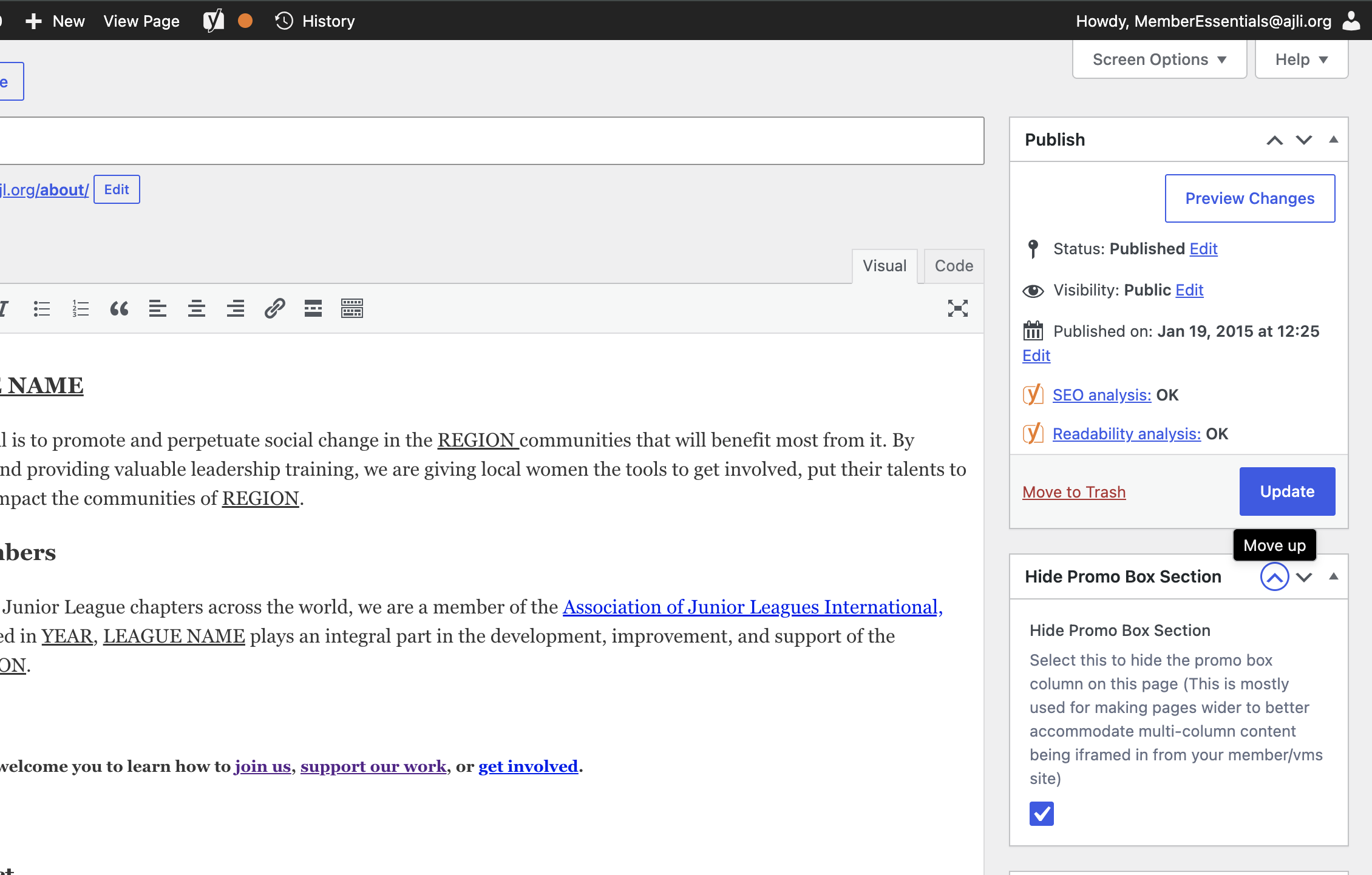
Once the Hide Promo Section box is selected, the Promo Section will no longer display on that specific page. The main content area will expand, providing more horizontal space for your page title, text, and other content.
Important: Hiding the Promo Section Hides All Promos on That Page
When you select Hide Promo Section, it hides the entire Promo Section for that page.
This means that neither the Global Promo nor a Local Promo assigned to that page will display.
For example, if your website uses a Global Promo throughout the site and you have added a Local Promo specifically for an individual page, selecting Hide Promo Section will hide both promos on that page.
Before selecting this option, make sure the page does not need to display a Local Promo.
Keep the Promo Section on Other Pages
Selecting Hide Promo Section only affects the individual page you are editing.
Your Global Promo can remain active throughout your website and continue to display on other pages. If you only want to hide the Promo Section on certain pages, repeat these steps for each page where you would like the content area to be wider.
This allows you to customize the layout of individual pages while continuing to use the Global Promo and Local Promos where needed.