The Email Merge Tool can be used to send personalized emails to members that incorporate date fields from a new type of query called an Email Merge Query. You build an email merge by running a query and then using the tool to compose the email, incorporating data fields from the query. This can be used for:
- Dues balance reminders
- Member requirement reminders
- New placement announcements
Required Access:
You will need the Query Administrator or Administrator access level.
Where to go:
- From the Member Portal, go to Admin > Member Management
- Find the Query Tool
Steps to be taken:
- Below Category, choose Email Merge Query to find all the available reports.
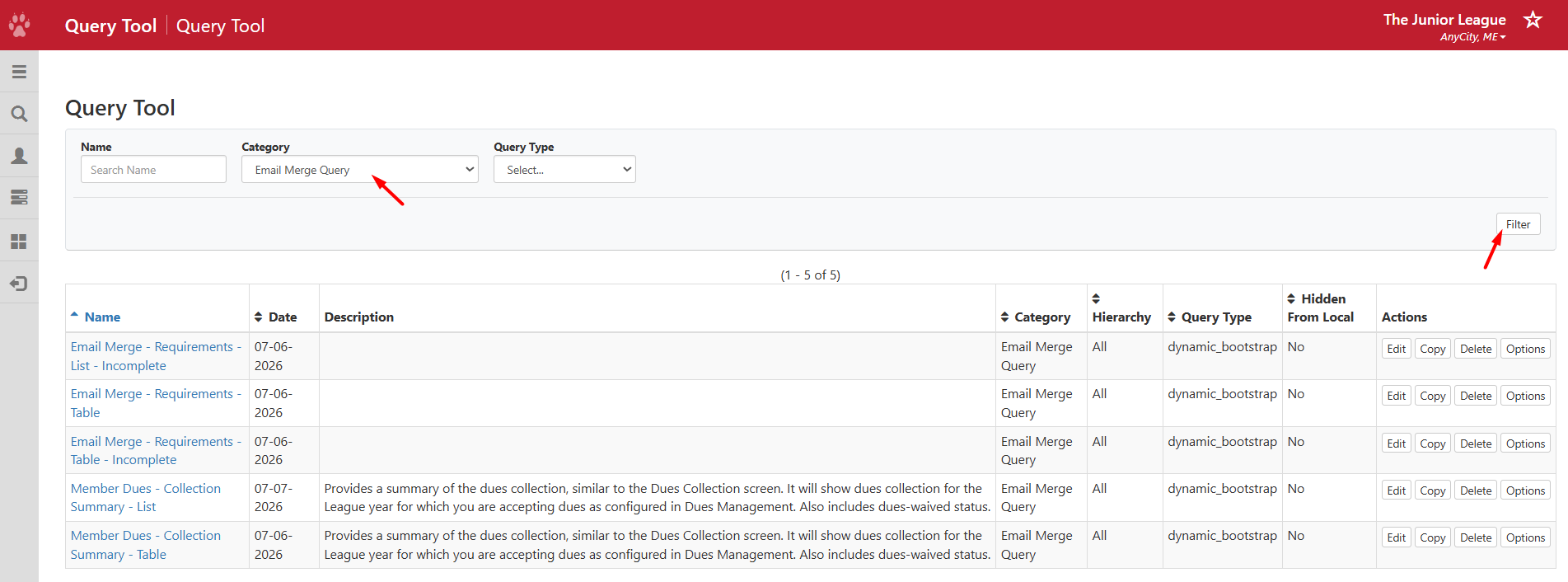
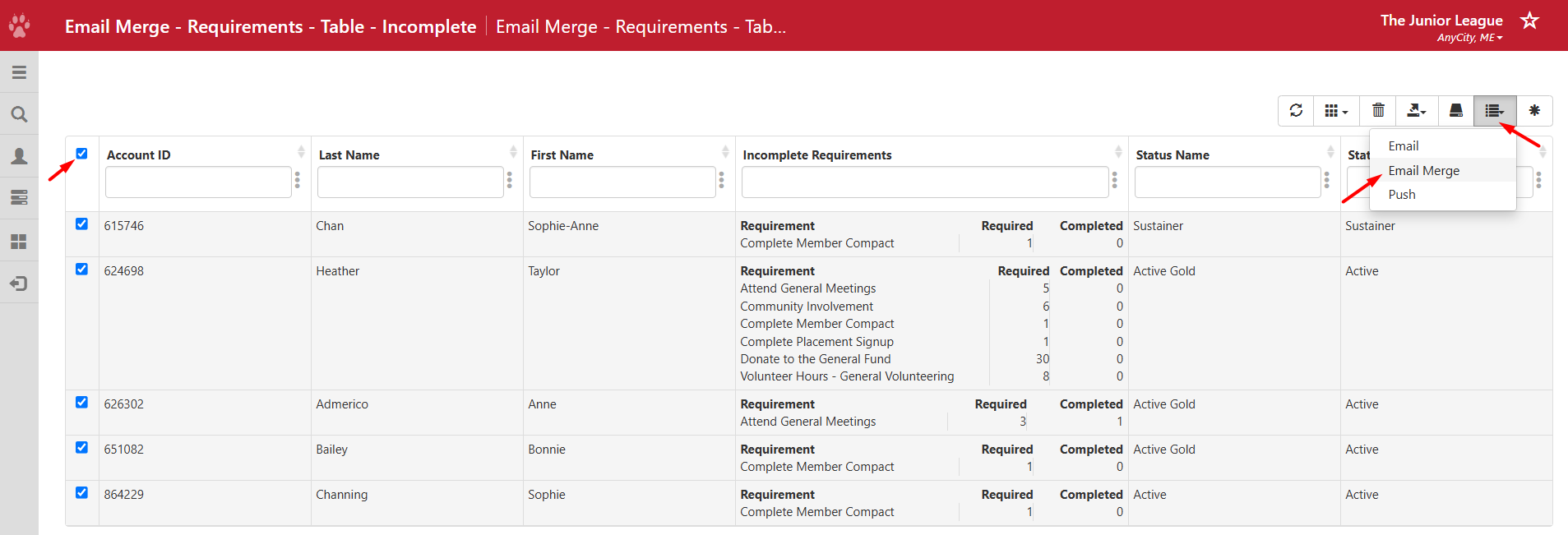
- Run the report you would like to use, such as Email Merge - Requirements - Table - Incomplete.
- Select all the accounts you want to send a message to by selecting the checkboxes or select all.
- On the top right, find the list icon and choose Email Merge.
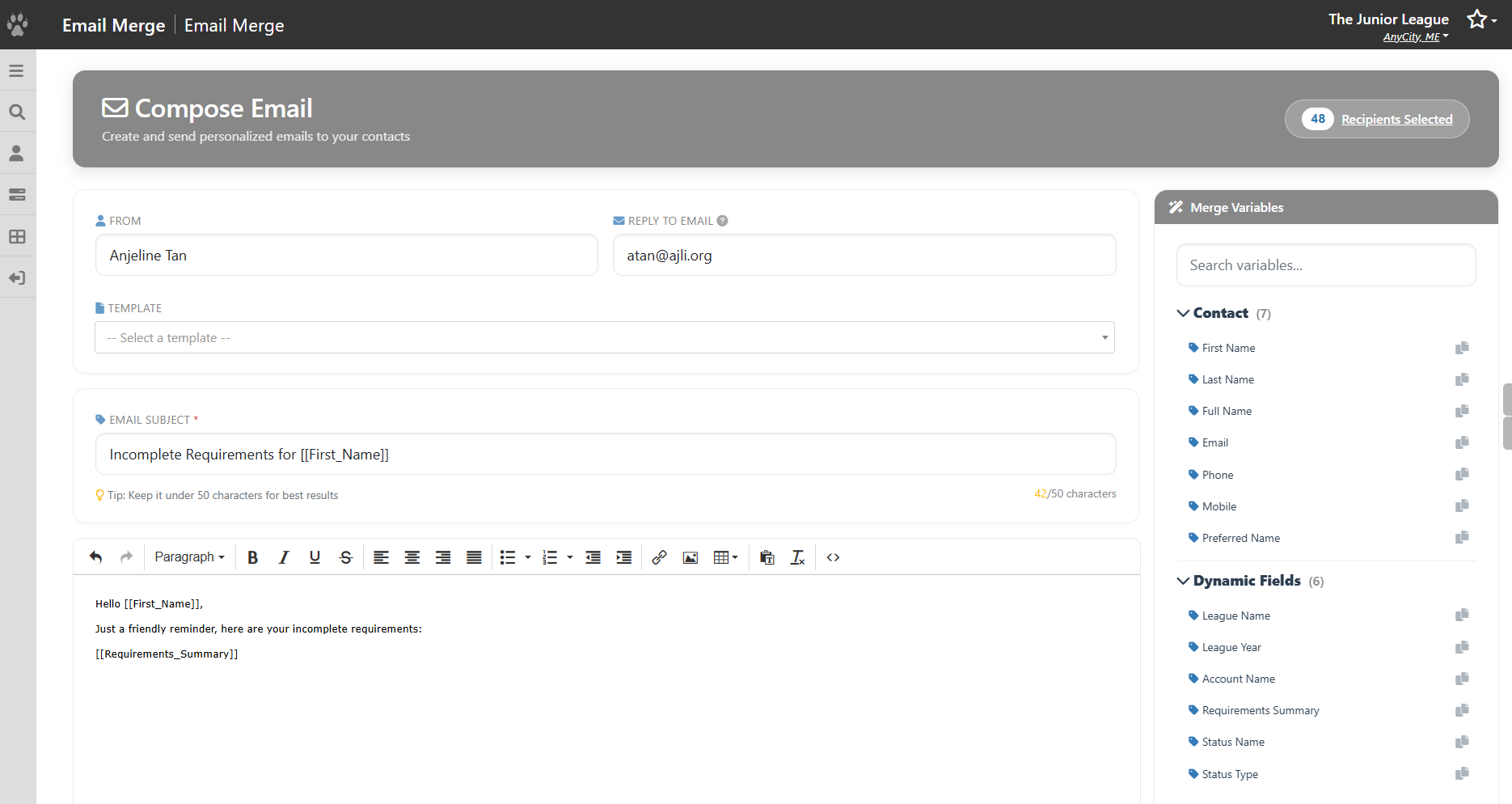
- You will be taken to the editor with the email merge options.
- If you have a saved template, select it from the list.
- Enter text in the Subject line for your message. If you would like to include a merge variable in the Subject, you can copy the field and paste it into the subject line.
- In the text editor, compose your message. On the right, you will find Merge Variables of all the available fields you can include. The Contact fields will display for all queries, and the Dynamic fields are the merge fields from the specific query you are running.
- Select the field to insert it into the text editor.
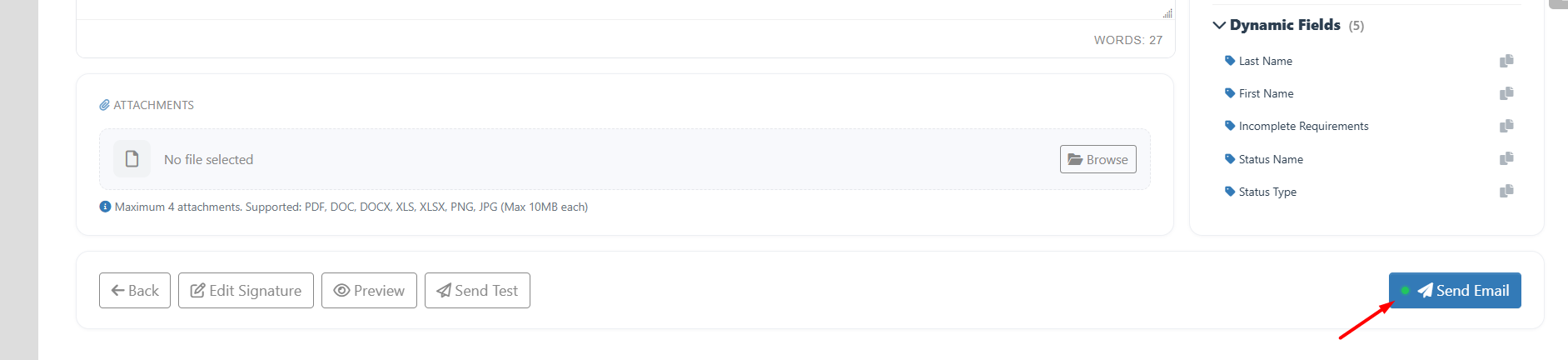
- If you have any attachments, you can upload the files.
- In Edit Signature, you can set up a signature, which will appear in the footer.
- Before you send the message, you can click on Preview to see what it will look like. Note that Preview shows the subject and the body of the email.
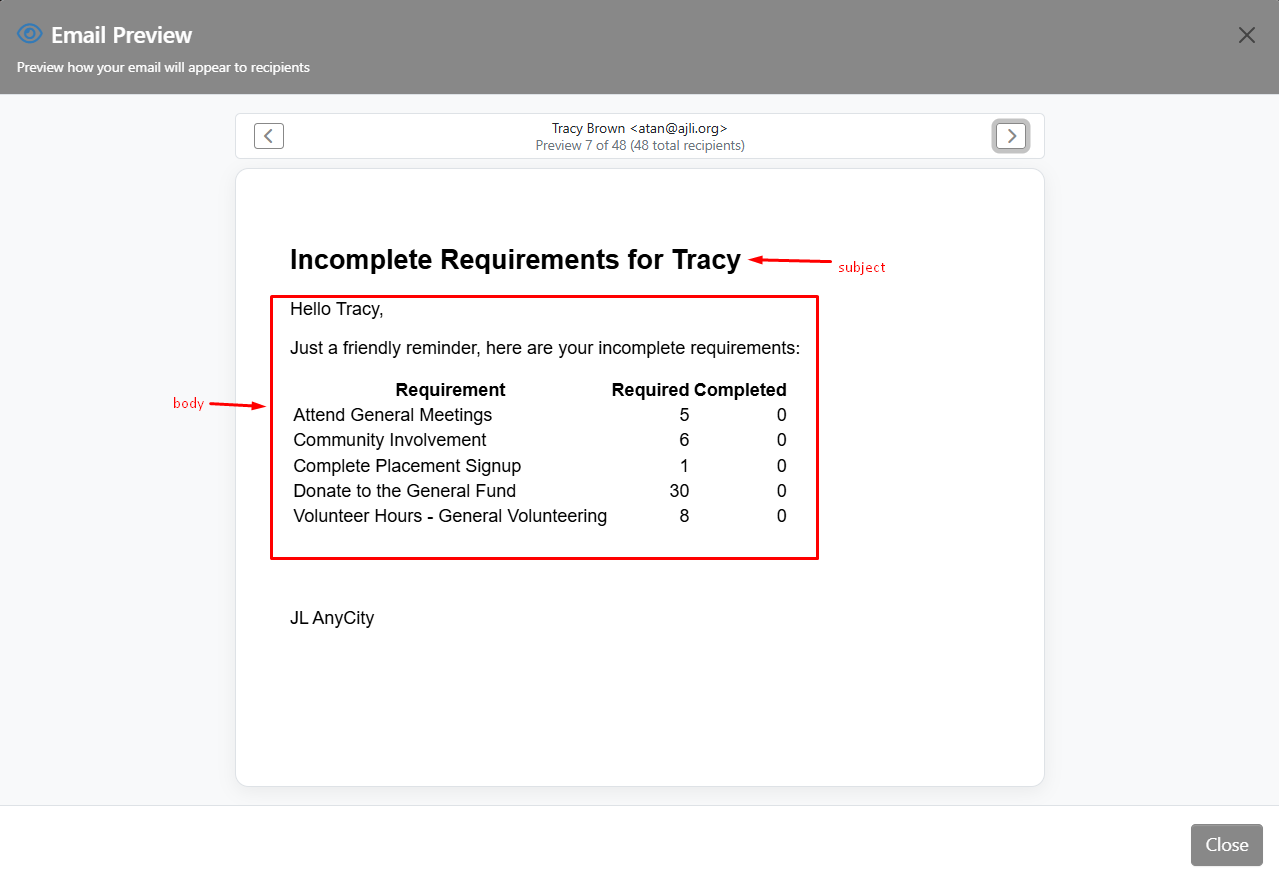
- You can use Send Test to see what it will look like when it gets delivered to your inbox.
- When you're ready to send the message, click on Send Email.