
- From JL.org, select your League Name from the dropdown to see the Create or Reset Your Password link.
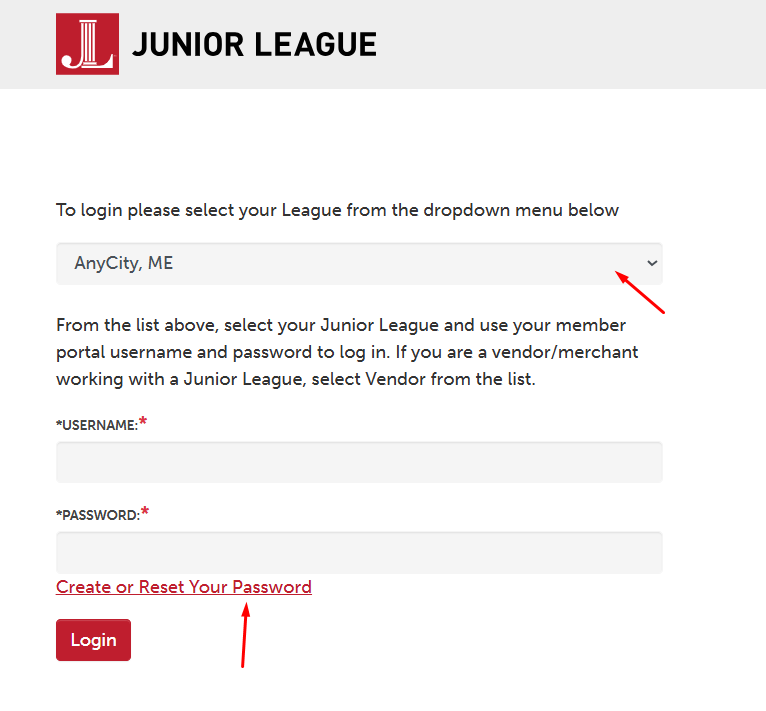
- You can also use this link to reset your password: https://vms.ajli.org/?nd=resetpassword
- From that page, select one of the following options:
- Enter your registered username
- Enter your registered e-mail
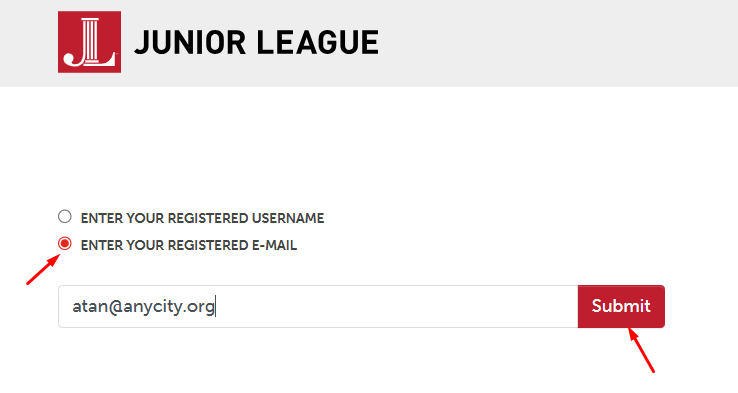
- After it finds your username or email on file, you will see this message: Please check your email for information on how to reset your password
- Open your email and find the message with the subject: The information you requested from The Junior League Here is a sample below:
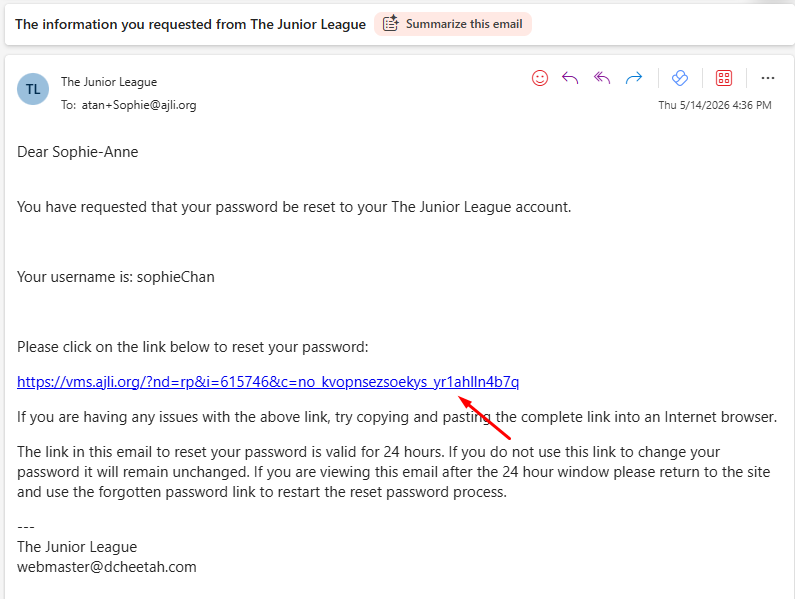
- Click on the link in the email to reset your password.
- Enter a new password on the first field.
- Then, enter it again on the next field to verify that both passwords match.
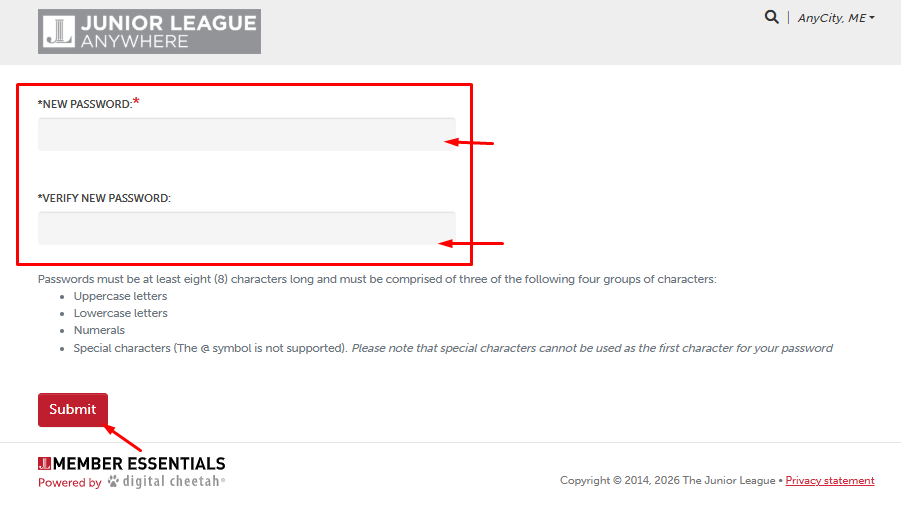
- Click on Submit.
- You will see the message: Password successfully reset
- Click on Continue, which will redirect you to the login page.
- Enter the username and password to login.
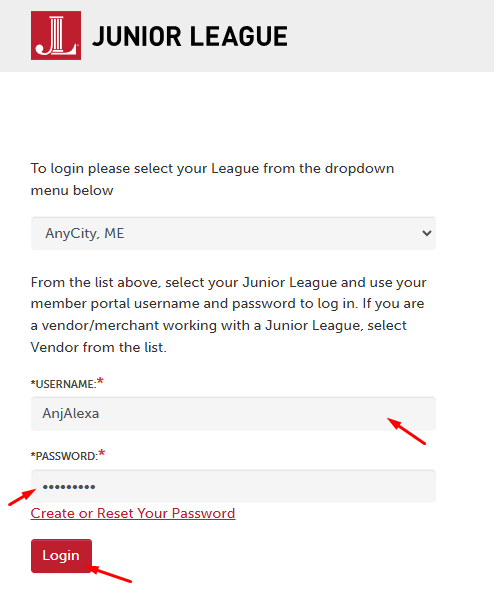
- If you are having issues with the password, contact your Admin to temporarily update your password. Then, after you log in successfully, you can change your password on your Profile > Change Username/Password. See Updating Your Member Profile
How to Reset Password on JL.org Print
Modified on: Thu, May 14, 2026 at 4:50 PM
Did you find it helpful? Yes No
Send feedbackSorry we couldn't be helpful. Help us improve this article with your feedback.