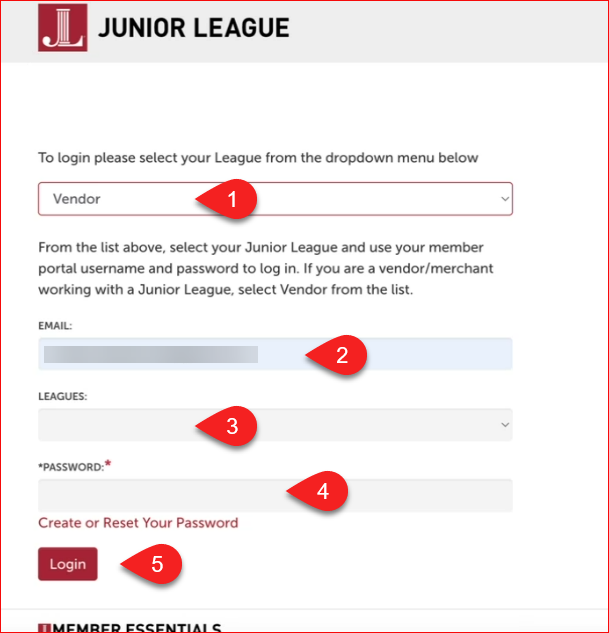
To access the vendor application portal, use the following login process. This assumes the vendor has already started the application process and has created a vendor profile.
- Access the portal at HTTP://JL.org
- Select "Vendor" from the list of Leagues at the top of the screen. "Vendor" will appear at the top of the list.
- Enter the email associated with your vendor profile.
- In the LEAGUES drop-down, select the League to access. The list will show all Leagues for which a vendor profile has been created using the email address entered.
- Enter the password associated with the vendor profile for that League.